
Choosing the right type of web design is essential for building successful websites that promote engagement and a pleasant user experience. These days, coding a website is usually not the best way to do it. To build a website, you can use no-code web design software. Not only do these tools allow you to design the website, but also go live with it at the same time.
I have ranked and reviewed the best web design software in this guide. You will find tools for the most common use cases when it comes to building websites at scale. You will find tools ideal for small businesses, freelancers, quick site creation, prototyping, marketing, and much more.
Disclaimer: This article has affiliate links at no cost to you.
What Are We Looking at in This Guide?
This is a comprehensive review of the best web design tools out there. The reviews are thorough and lengthy. If you want to skip to a particular tool’s review, you can use the links below. I’ve added some direction to the links so you can see for whom the tools are ideal.
- Wix — Best for Small Businesses & Freelancers
- GoDaddy — Best All-in-One Solution
- Strikingly — Best for Quick Site Creation
- Webflow — Best for Experienced Web Designers
- Squarespace — Best for Building from Templates
- Adobe Dreamweaver — Best Web Editor
- openElement — Best Free Web Designer
- Adobe XD — Best for Prototyping
- Google Web Designer — Best for Marketing
Before jumping into the thorough reviews of each tool, let’s quickly take a look at the evolution of web design. This will help you understand what the state of the art is right now and what types of tools can make you succeed.
The Evolution of Web Design
The space of web design has had many shapes and forms for the past 30+ years. Back in the day, websites were static pages that only consisted of text, links, and images. Visitors literally opened up a page, found answers to their questions, and left. Those days, there was no interaction on the web pages. That’s why the pages were called static pages.
In the 21st century, websites have changed a lot. Websites are no longer dull static pages. Nowadays websites consist of interaction, animations, and effects. Instead of visiting and leaving a page for information, you can create accounts, make purchases, be part of communities, see ads, and much more.
With the quick developments in the web space come challenges. To build a successful website for your business, it’s not enough to add text, links, and images to the site. Instead, you have to provide a smooth, streamlined and intuitive user experience (UX) for the visitors. If you fail to do so, your site won’t be successful.
To build a site with a nice user experience and design from scratch, you’d need to be good at:
- Graphic Design
- HTML
- CSS
- JavaScript
- Other web frameworks and coding languages
It takes a tremendous effort to become good at each of these skills. Typically, when building sites this way, you need to have a team of developers and designers working together to build sites at scale.
Luckily, these technical challenges have given rise to numerous web design solutions that require no coding or design skills. The best web design software is easy to use. As a matter of fact, building a basic web page or online store shouldn’t be any more difficult than setting up a Facebook page or account. This is what this guide is all about.
- You’ll learn the best web design solutions for building full-scale web pages that tackle the UI and UX challenges of today. These tools will also host the website for you if you want to.
- You will also learn about design-only software where you can only design a site but have to outsource the development/publishing phase. These solutions are good for you if you are working as a web designer.
Now that you have a better understanding of web design and its processes, it’s time to learn what tools can help you the most.
Let’s jump into the reviews of the best web design tools!
1. Wix
Best Web Designer for Small Businesses.
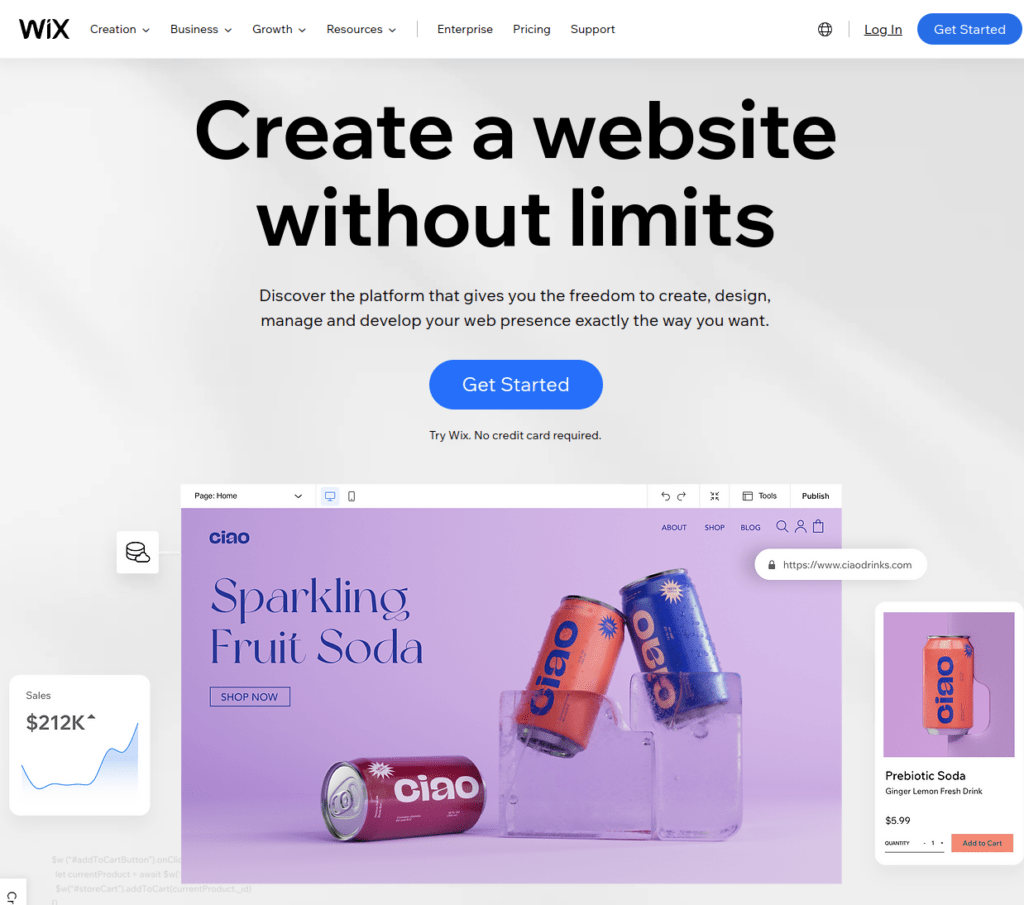
Wix is one of the most popular and widely used web design and web builder solutions out there. With Wix, you can create a professional-looking website in a matter of minutes.
The idea behind Wix is to make web design and development easy for everyone. To create a site with Wix, you don’t need to have any coding skills or design skills. Wix takes care of these behind the scenes.
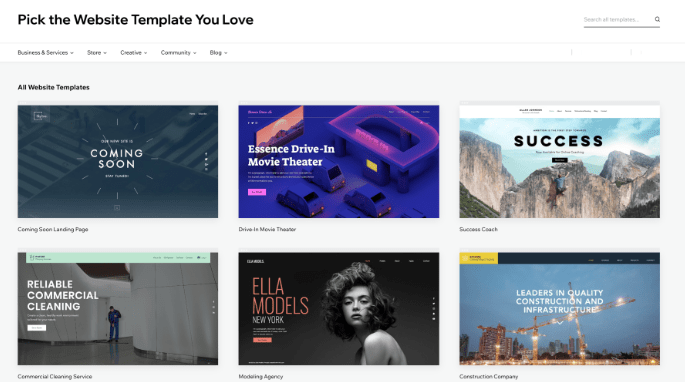
Wix comes with a bunch of professional-looking templates and assets you can use to decorate your sites. These assets and templates are not just random designs but are instead built by professional UI/UX designers. The best part is you can just click the templates to activate them. Then all you need to do is change some images and re-write some texts, slogans, and taglines. After making these minor tweaks, your site is already ready to go live.
But this sounds quite limiting, if you are looking for extensibility, right? This is why Wix also has a built-in website editor where you can easily make bigger tweaks to the appearance of your site. The drag-and-drop editor lets you quickly add new components to the website and place them where you want. So if you are worried about making the site look too similar to other sites, then you will definitely be happy to try the editor.
Wix is a huge time-saver and cuts the cost of developing websites and online stores. If you are a small business owner or freelancer, you should try Wix. Wix allows you to create basic yet professional-looking sites that will serve your audience for a long time.
With Wix, you can create a website for free. The only downside to this is the URL. With a free Wix plan, your domain name will have .wixsite. For example, alicesblog.wixsite.com.
Key Features
- Wix ADI. When you start with a new site, Wix will ask you a couple of questions and design a ready-to-publish site for you. If you’re not happy with the result, you can run the ADI again. Or if you are looking for customizing the solution, you can use the Wix editor freely to make the changes.
- Wix Velo. This is the web developer’s dream addition to Wix. The Velo is an open development, a serverless platform added to your site. With this feature, a web developer can write code to further customize the web app and interact with APIs, for example.
- 500+ templates. Wix comes with pre-made website templates you can freely use to build your site. If you are not looking to spend time designing your site, then you can benefit from using a professional template from the Wix template library. All you need to do with a template is to update the logo, texts, slogans, and taglines.
- Cool overlay effects. Wix allows for easily adding shadows, flares, and reflections to your web pages. To do this, you can use the Wix Photo Studio.
- Easy to learn and use. One of the north stars of Wix as a company is to make web design and development easy for everyone. That being said, Wix is super easy to use and get the hang on. Even if you have never designed or created a website before, you can start using Wix and get things done in minutes!
User Experience
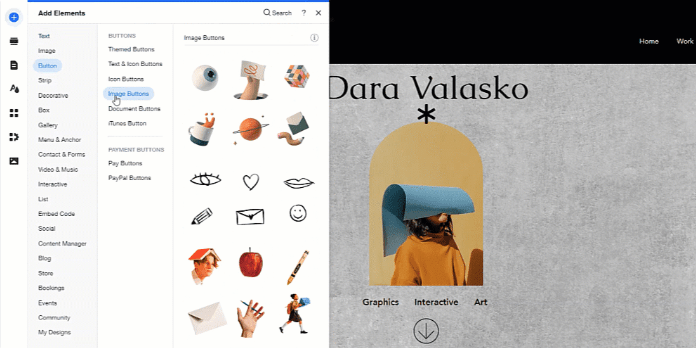
Wix is easy to use. The built-in drag-and-drop editor makes the tool easy to use. Moreover, it makes customizing websites even easier. Overall, Wix is one of the easiest web builders to use.
As stated earlier, with Wix, you don’t have to worry about coding or other technical aspects. All this is done for you behind the scenes. To build a website with Wix, you can use the drag-and-drop editor to easily add/remove/customize elements to your page.
What I Like
- I definitely think that Wix is a game-changer for small businesses and freelancers. The tool allows for such a quick creation of a web page that it’s truly worth trying.
- Speaking of trying Wix, I think it’s great that Wix offers a free trial of their services.
- Designing websites is easy with Wix. If you are someone like me, who is not that savvy in web design, you can use the pre-built templates to your advantage.
- The Wix ADI quiz is cool. You basically answer a couple of business questions and the tool will spit out a full-on website that you can further customize.
What I Dislike
- Wix can sometimes feel a bit limited and you might be worried about creating sites that look identical to thousands of other sites in the world. The template-based approach to designing a website comes at the expense of customizability. Even though there is an editor with easy functions, you can still end up having a very generic-looking site.
- Even though there is a variety of animations available in Wix, these are quite limited as opposed to some other web builders.
- Wix comes with basic solutions, like blog post templates, eCommerce functionality, payments, and such. But if your business needs something outside of the very basics of websites, chances are there is no pre-built solution in Wix. Notice that even though this is something I don’t like too much, there is the Wix Velo feature that lets developers bridge the gap by writing code.
Pricing
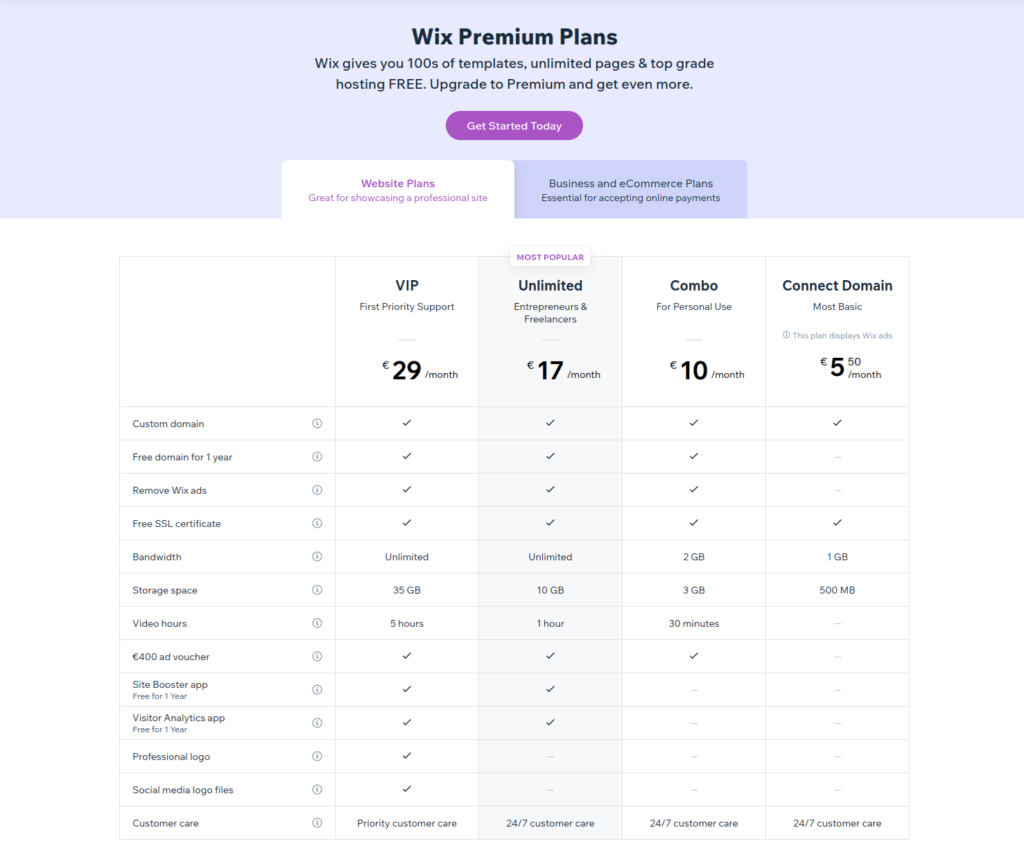
Wix has four plans:
- Connect Domain: $5.50/month (this is for someone who wants to connect an existing domain to Wix servers)
- Combo: $10/month
- Unlimited: $17/month
- VIP: $29/month
Notice that there is a free 14-day trial for each plan. This way you don’t have to spend money before being happy with the results 🙂
Bottom Line
Wix is a great choice for designing and building websites with no code or experience. Creating a Wix site is straightforward and intuitive. Anyone can start using Wix with the 14-day free trials to see whether it’s a great match or not.
I’d suggest Wix for people looking to build websites quickly and who want to customize the sites to not look too generic. I think Wix is a great match for first-timers, freelancers, and small businesses, such as online stores, blogs, or portfolios. It’s a great value-for-money software that requires no technical skills to use.
2. GoDaddy
All-in-One Solution for Designing and Building Websites
comes
GoDaddy is a popular domain name registrar and web hosting company that offers all the tools and solutions you need to run successful websites.
One of the popular solutions by GoDaddy is the website builder tool. This tool is a great beginner-friendly software you can use to design and publish websites at scale.
Similar to Wix, GoDaddy uses ADI (Artificial Design Intelligence) to streamline the website creation process. The GoDaddy ADI system asks a couple of prompt questions related to your website and business. Then it spits out a full-on website ready to go live. If you are a beginner with no design, coding, or other web hosting experience, GoDaddy is a great option for you.
Key Features
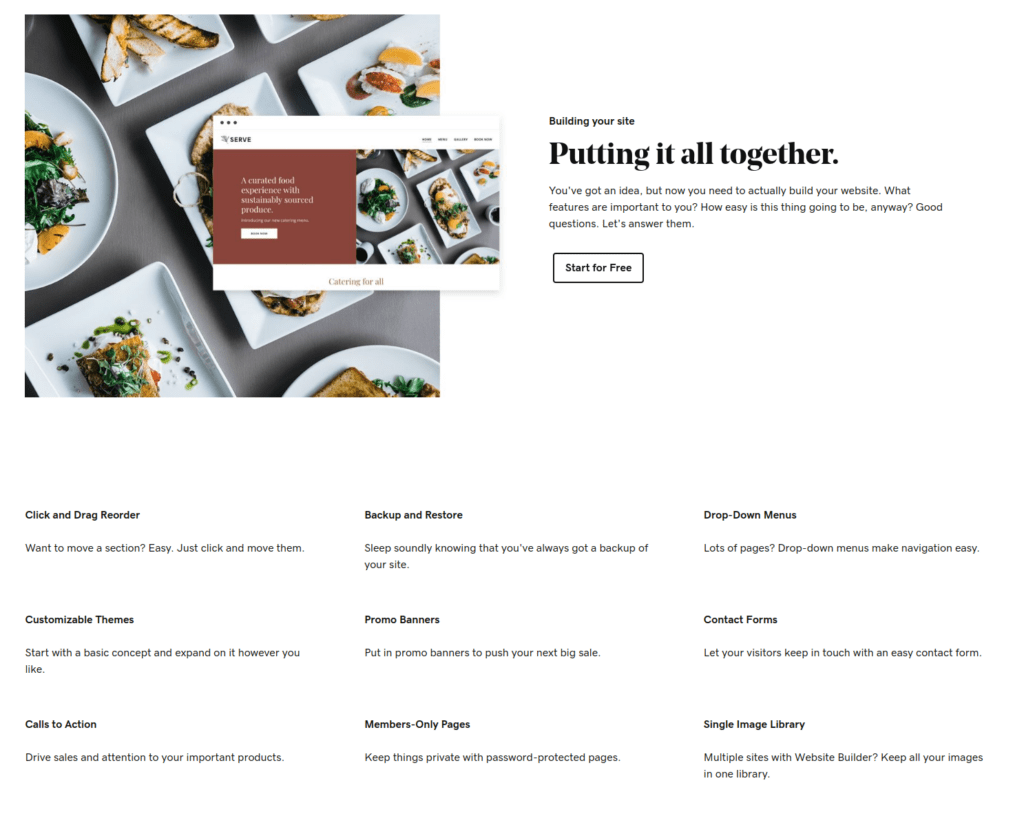
Some of the most notable features of the GoDaddy web design tool include:
- Drag-and-drop editor. Instead of coding components and features to your site, you can use the drag-and-drop-style editor to add components to your site. This makes creating a website a breeze.
- Pre-built themes. There are lots of pre-built themes that are customizable. You can choose a ready-made website theme and publish the site in minutes. Or you can customize the theme and make it look even more unique.
- Backups. Needless to mention, GoDaddy takes care of your site’s backups. There is no risk of having your site ruined by hackers or data loss.
- Promotional banners. You can promote your big launch or push your sales with pre-built promo banners.
- Central image library. If you have many websites, you can create a single GoDaddy image library you can use across your sites.
User Experience
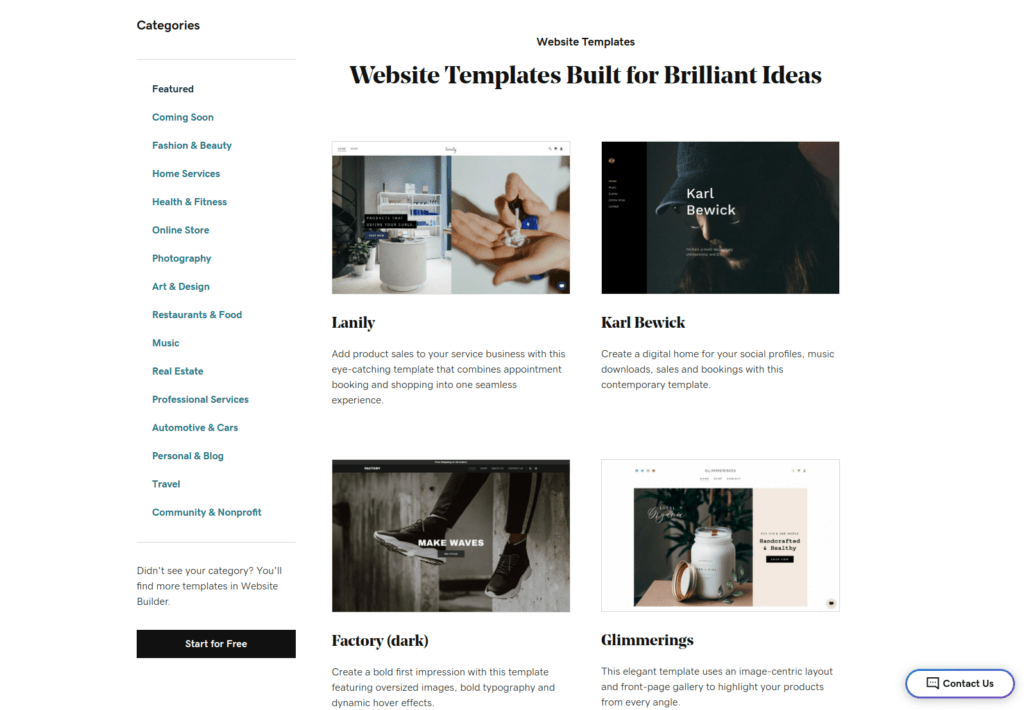
Using the GoDaddy website builder is a breeze. With the ADI and template-based approach, you can create professional websites in minutes.
This makes using the tool stress-free and easy. Also, there is no need for a professional background in coding, design, or any other technical skill. The tool does the technical thinking under the hood.
Also, you get to create web apps and websites whose UI and UX look great for both mobile and desktop devices. So there is no hassle with mobile optimization because it’s done for you automatically.
What I Like
- Creating a website is super quick. It only takes a minute or two to answer the ADI questions to create a ready-to-go site that looks professional and promotes engagement. If you are looking for a quick solution without experience or resources, then you can use GoDaddy to start easily.
- With the GoDaddy web builder, there are tons of pre-made designs you can use. These design templates adapt nicely to your site. For example, if you have to change from template A to template B, your site content won’t get bashed by the change. Instead, everything adapts nicely. This makes it easy to play around with things.
- GoDaddy is easy to use. You don’t have to have experience in web design or coding. All the technical parts are taken care of for you.
- I think the pricing is on point. The tool is affordable for businesses of all scales as well as individuals and freelancers.
- One benefit of GoDaddy that doesn’t directly relate to the website builder is the fact that they offer much more. GoDaddy has solutions for domains, web hosting, marketing, commerce, and more. So as a company, they are definitely key players in the field.
What I Dislike
- Unfortunately, with the template-based approach that GoDaddy offers, there is not too much room for creative freedom. Even though you can customize the templates, they still might end up looking generic and similar to other sites built with GoDaddy.
- The block elements that make up your website are somewhat restricted.
- Some of the core features lack depth which comes at the expense of customizability.
- I think some of the web pages built with GoDaddy aren’t as visually pleasing as the ones built with other web builders.
Pricing
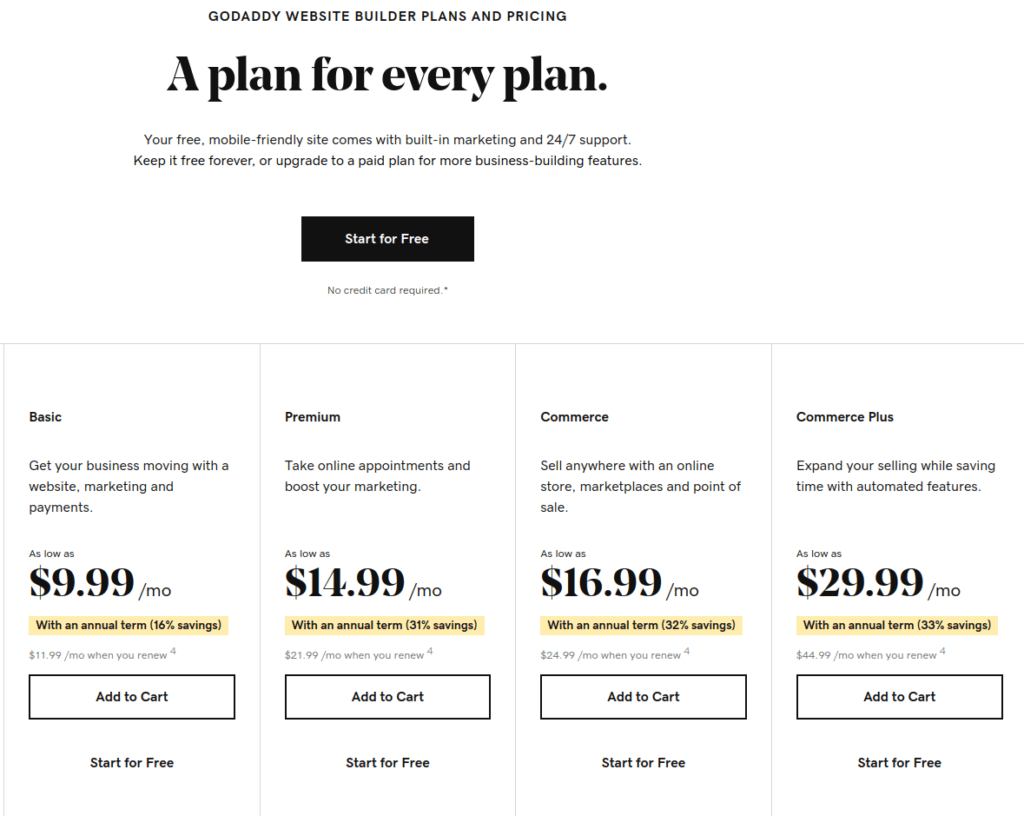
There are four paid plans to choose from:
- Basic: $9.99/month
- Premium: $14.99/month
- Commerce: $16.99/month
- Commerce Plus: $29.99/month
If you’re looking to build a basic small business website, then the Basic plan will definitely be enough. You can even integrate marketing and payments in the sites with the Basic plan. But to build more robust and feature-rich commerce sites, you might want to choose Premium or one of the Commerce plans.
Bottom Line
GoDaddy is a great all-in-one solution for designing and building websites and web businesses.
Although this tool is a bit more limited than Wix when it comes to templates and features, it’s one of the easiest web design tools out there. You need to have no technical experience in coding or artistic background in design to create good-looking sites with GoDaddy.
GoDaddy uses ADI to power websites. With ADI, you can create a website with AI by answering a couple of simple questions. Then you can customize the site further to meet your demand.
Thanks to the free trial, you can try GoDaddy to see if it’s the tool your business needs.
3. Strikingly
Best for Quick Site Creation.
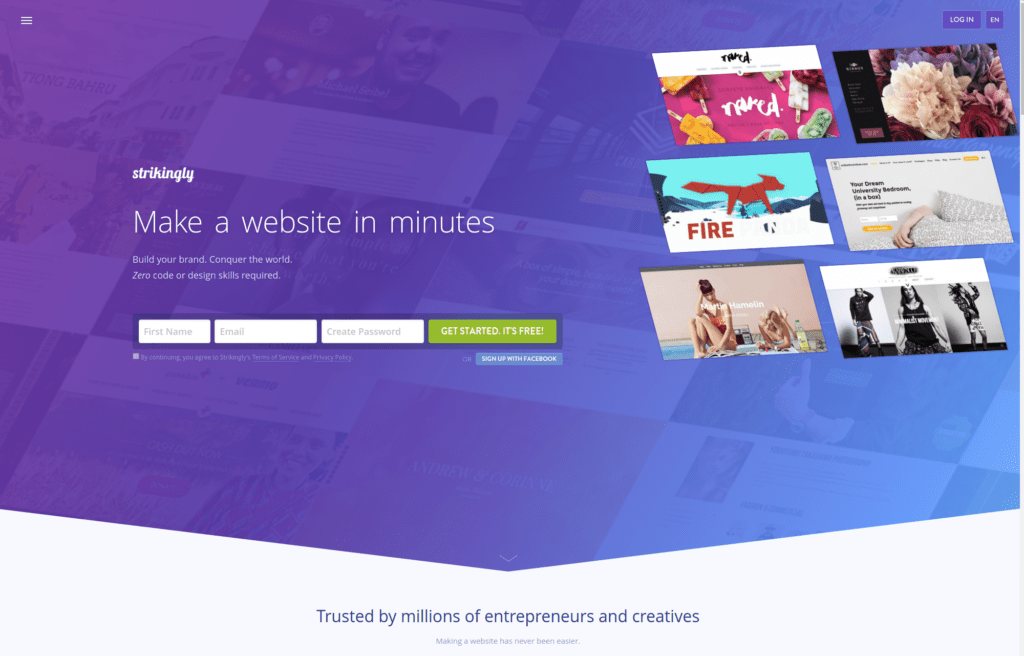
Strikingly is a web design tool and a website builder that is ideal for businesses looking to create a single-page website or landing page. Needless to mention, you don’t need to possess any coding or design skills to build websites with Strikingly.
The generated web page ends up looking awesome thanks to the professional-level templates. These templates are put together by design experts and software developers. Thanks to this, you can create an interactive and mobile-optimized web page in under 5 minutes.
Strikingly is an interesting solution for marketers and small businesses. Besides building portfolios and landing pages, you can create an online store (with up to 500 products). Of course, you can create a blog too!
After all, Strikingly is a great choice for:
- Freelancers for building a portfolio or landing pages for clients.
- Marketers who want to build an online store.
- Small businesses that want to create a landing page that drives leads.
- Individuals who want to easily create a blog, resume, or portfolio for themselves.
With Strikingly, you get modern-looking designs that work on tablets and mobile devices. This is important because nothing is more frustrating than having a website that doesn’t load on mobile devices. One of the things I love about Strikingly is the ability to improve the mobile experience with mobile actions, such as “Call” or “Email” buttons for easy availability.
Even though I mentioned Strikingly is a one-pager website builder, that’s not entirely true anymore. As a matter of fact, the free plan supports websites of 5 pages. The pro plan supports up to 100 pages which usually is great for small businesses or individuals. But of course, 100 pages is nothing when you are looking to build a big blog or business website. If 100 pages sound limiting, I highly recommend using a site builder like Wix or keep on reading this article, as there are many more tools to come.
You can try Strikingly free for 14 days!
Key Features
Here is a quick overview of the most notable Strikingly features:
- Domain Names. With Strikingly, you can launch a website behind a custom domain name.
- Simple Store. You can use Strikingly to build a web store where you can sell and promote your products.
- Simple Blog. Strikingly makes it easy to start a blog or portfolio that is great for freelancers, individuals, and small businesses.
- Analytics. There are great analytics capabilities to Strikingly. This means you can follow your traffic and user behavior to get a picture of how and why they interact with your site.
- Sign Up Forms. Do you need to support account creation on your site? No problem! Strikingly comes with a built-in signup form that you can use to allow creating accounts on your website.
- Contact Forms. Every website needs a way for customers or visitors to reach out. In Strikingly, you can use a ready-made solution to connect your visitors with your email using a contact form.
- Social Feeds. To get more exposure to your website, you need to have it shared on social channels. In Strikingly, you can add social shares to your pages easily which makes it easier for visitors to share the page.
Besides, all your sites support SSL certificates (HTTPS), galleries, media sliders, custom colors, password protection, and much more.
User Experience
The tool is intuitive and easy to use. The user experience and the workflow are seamless. To use Strikingly, you don’t need any technical coding skills or design background. This is all done for you under the hood.
To create a website, use the Strikingly homepage to quickly create an account. Then click “Create New Site”. After this, you are going to see a whole bunch of templates to choose from.
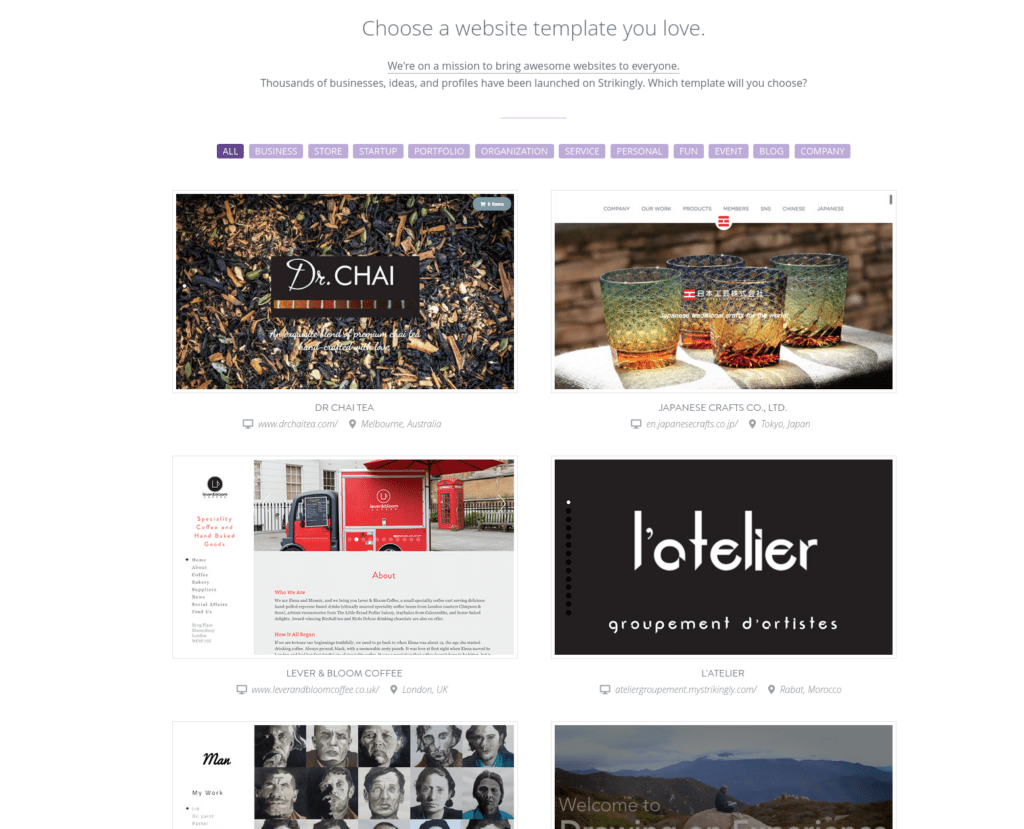
Once you have selected a template, you can choose to take a quick tour of the Strikingly features. But thanks to the easiness of the tool, the tour is not necessary. You can see right away how the editor works.
Updating your page’s theme is as easy as updating a Facebook page. To change text, colors, buttons, or other elements, all you need to do is click them and edit. Adding new features and components from the left sidebar is just as easy!
What I Like
- I really like the fact that it only takes a couple of minutes to get your first page live.
- The tool is free to try so you don’t have to spend a buck before being 100% satisfied.
- Strikingly offers lots of professional web templates to choose from. With this, you don’t have to worry about designs or coding. Instead, you can just select a theme suitable to you or your customers.
- The edit functions are intuitive and easy to use. There is a quick tour that teaches you how to use those, but usually, that is irrelevant as the features are so intuitive.
- By the way, the pro plan isn’t pricey either. You can build 3 separate websites for $16/month.
What I Dislike
- The free trial is limited and you don’t get a full picture of the software. For instance, you cannot add custom code to the website on a free version.
- Even though the pricing is affordable, if you are looking to build a single website, Strikingly is not the cheapest option out there.
Pricing
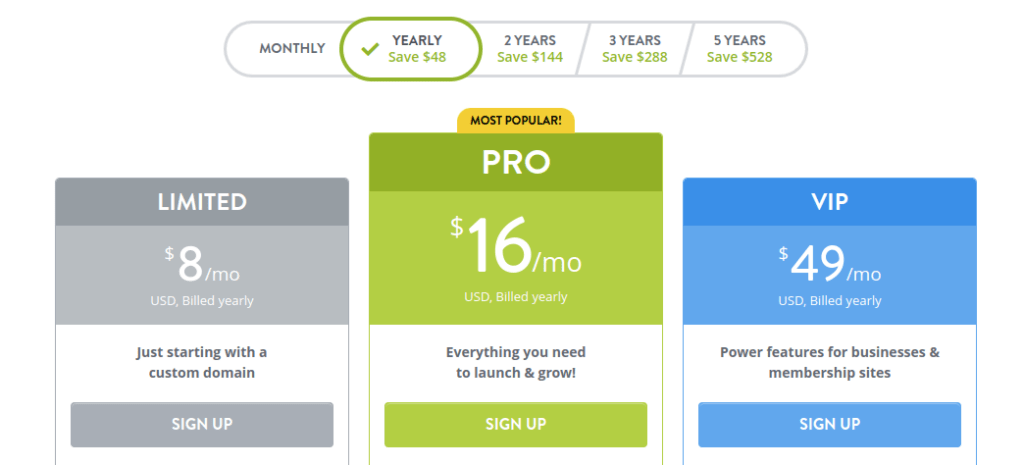
The three plans for Strikingly are:
- Limited: $8/month
- Pro: $16/month
- VIP: $49/month
All these plans come with a free 14-day trial.
Bottom Line
Strikingly is a great web design tool for building professional websites in minutes. Instead of doing the design or coding process yourself, you can use the pre-built templates of Strikingly. These are built by professional web designers and developers. If you are looking to build web designs from the ground up, please keep on reading. You’ll find tools that are dedicated to building designs from scratch.
Using a pre-built template is a great way to quickly start a site for a small business, freelancer, marketer, or even an individual blogger. Instead of wasting time or money on designs and coding, you can use pre-existing solutions. Then later, if your business grows, you can migrate to an enterprise-level solution or hire professional designers/coders to build a bigger site for you.
4. Webflow
Best for Experienced Web Designers.
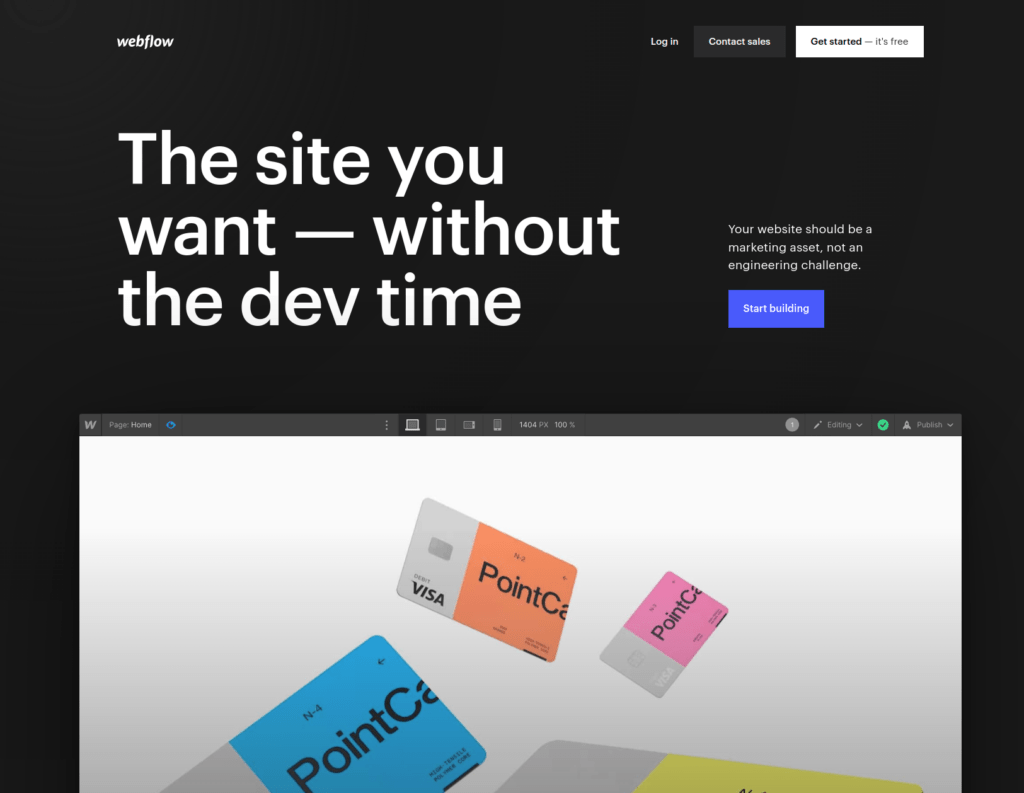
Webflow is a web design tool for more experienced web designers. This tool doesn’t require any coding skills to use but you certainly benefit from having some experience in web design.
The previously introduced tools on this list generate a site for you based on templates or a couple of questions. These tools are ideal for non-designers and non-technical users looking to create quick solutions. Webflow is the first full-scale web design tool in this list that is geared toward web designers rather than beginners. Webflow is both a web design tool and a website builder. This makes it easy for you to both design and publish a site without having any coding background.
The key difference between Webflow and other web design tools and web builders is in the target audience. Most web design tools target users who have no experience in web design or coding. But Webflow targets users that have some design background. More specifically, Webflow is ideal for:
- Designers who are looking for more extensibility and creative freedom.
- Teams that want to collaborate with other team members or clients. You can create Team areas on your websites where collaborators can make edits or suggestions.
- Users looking for more customization options than what traditional web design tools offer but don’t want to write code.
One of the outstanding features of Webflow is cutting the designer-to-developer hand-off process. You don’t need a developer to implement your designs. Instead, you can turn the designs into fully functional websites with no code in no time. Therefore, Webflow is ideal for experienced designers who want to create a site on their own but have more freedom of creativity than tools like Squarespace or Wix offer.
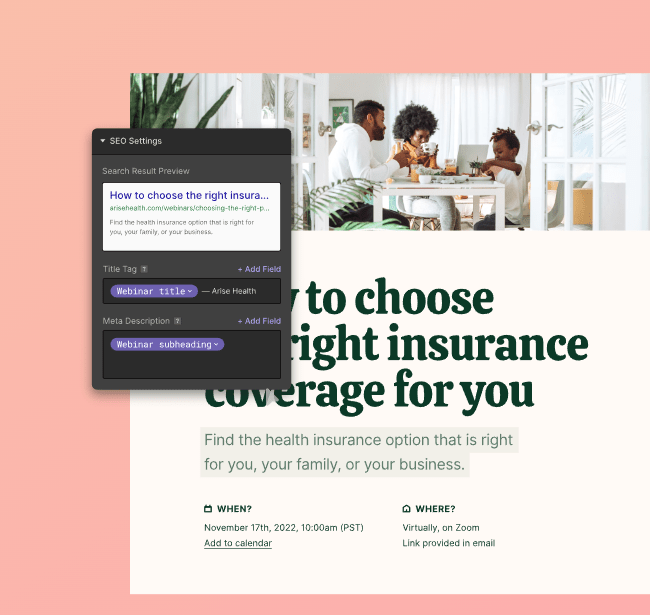
Another outstanding feature of Webflow is mobile customizability. Many web design builders don’t allow you to tweak the mobile settings. But Webflow does. With Webflow, you can customize the way your mobile version looks.
When compared to the Wix editor, Webflow is certainly more complicated and takes more time to learn. But the major benefit of this is the creative freedom and customizability you don’t have on Wix.
Webflow also comes with a web hosting solution. This means you don’t need to use your own hosting provider to go live with the site. In Webflow, there are great tutorials, courses, articles, and user forums. These help you get started with the tool and to find help if you’re stuck.
Key Features
- Design from the ground up. With Webflow, you can customize every piece of design on a web page. This happens with a powerful drag-and-drop-based editor that is easy to use.
- Responsive design. With Webflow, you can design websites that adapt well to smartphones. Also, you can customize the mobile version of your website, which is not common in many other web design tools.
- Visual content management system (CMS). Webflow has a nice visual CMS that helps you make the design speak the language of your content and build empathy with the audience. You don’t need to write any code as Webflow is a no-code solution for designing and building websites.
- eCommerce stores. Webflow allows you to build interactive online stores with great customer experience, animations, smooth checkouts, and multiple payment options.
- Fast hosting solution. Webflow also hosts your website. The web hosting provided by Webflow is lightning fast and secure. This makes your site load quickly and keeps visitors happy.
User Experience
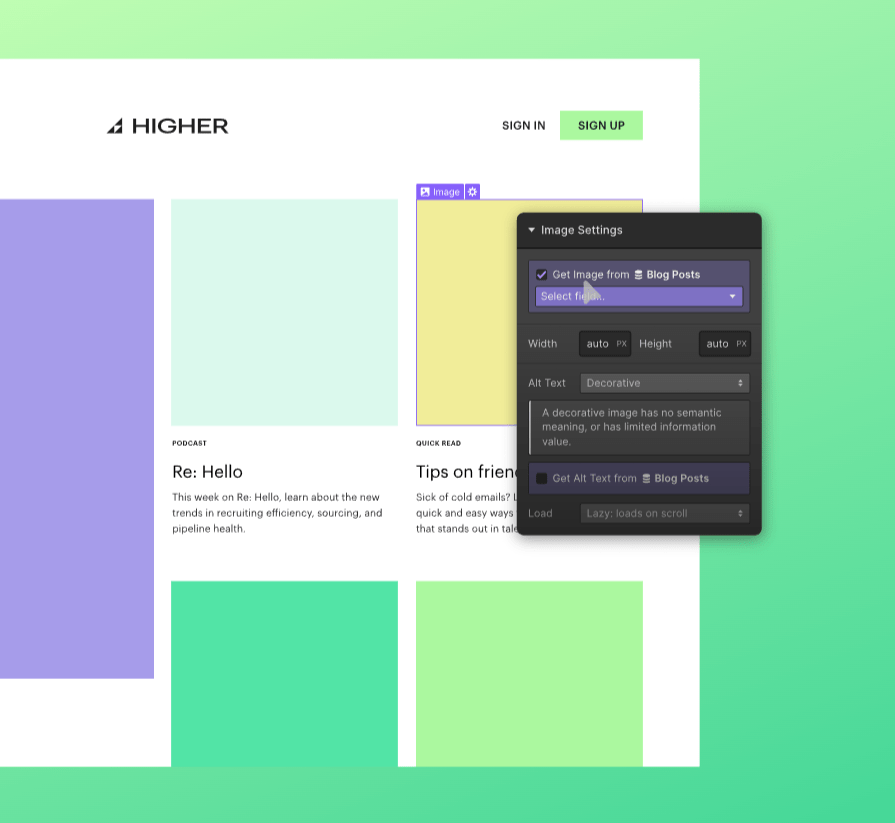
For a new user, the user experience of the tool might not be that easy. This is because there are lots of bells and whistles as opposed to other web design tools. With Webflow, you have more room for customization. This means there are lots of new workflows and features to adapt to.
On the other hand, if you have some experience in web design and use the tool for a while, chances are you’ll never need to get rid of it.
What I Like
- Unlike many other web design tools, Webflow allows for versatile customization. You can even access and modify your code if you want to! This means you are never locked in when it comes to making changes or adding features.
- If you are someone who works for clients, Webflow is definitely one of the best options out there. You can create unique and powerful designs that don’t look like other websites in the space. You can even bill your clients through Webflow.
- There is a whole bunch of support materials available, such as videos, articles, and courses. This is great because the learning curve of Webflow is somewhat steep as opposed to the other web builders.
- One cool feature you don’t come across often is the uptime guarantee of 99.99%, which is very high. And if you don’t reach that uptime percentage, Webflow is going to refund you!
What I Dislike
- You guessed it. Webflow is not beginner friendly! This is thanks to the steep learning curve. If you are not a designer or if you are looking for a quick solution, stay away from Webflow.
- The pricing is not clear. There are so many paid plan options it’s hard to determine which one suits you the best. You might end up overpaying quite easily. To choose the right plan, perhaps do some research, read some reviews, or even contact the Webflow team!
- Some of the built-in functions are limited. For instance, you might have issues with creating a multi-lingual site. However, for most of you, this is not a big problem. And if you find some limitations to the software, you can always add the issues on a wishlist to be fixed by the Webflow development team.
Pricing
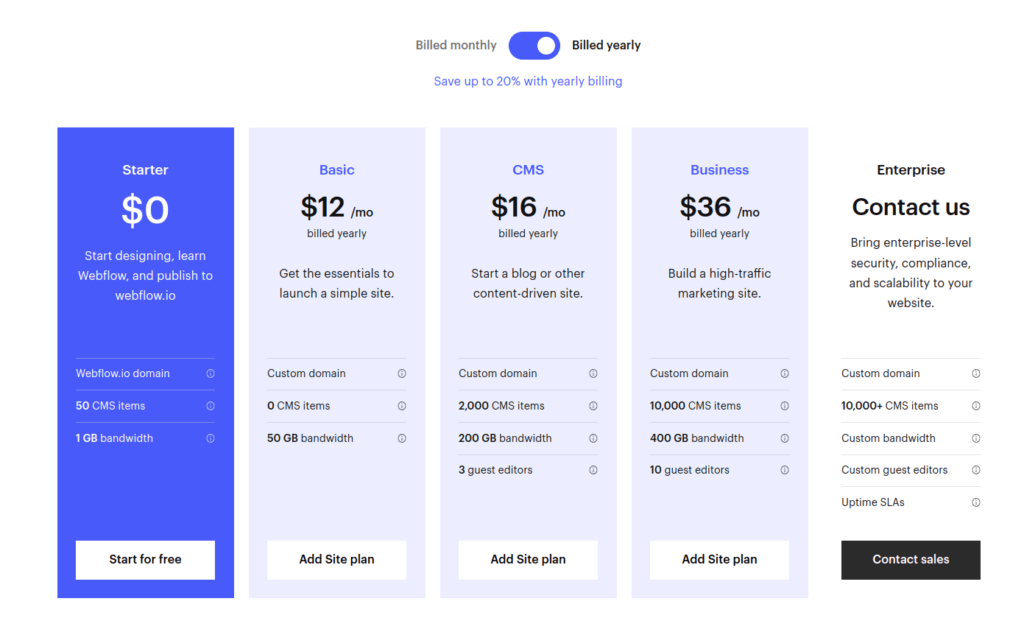
There are five plans for Webflow.
- Starter: Free
- Basic: $12/month
- CMS: $16/month
- Business: $36/month
- Enterprise: Contact the sales team
Bottom Line
Webflow is a great web design tool for advanced web design use. Unlike the previously mentioned tools in this list, Webflow allows for more customization and creative freedom. Besides, you can always access the code and also make changes to the responsive mobile designs.
Webflow is great if you have some experience in web design. This tool is not the easiest to learn, but once you get the hang of it, you’ll probably not have to change the tool.
A great example use case for Webflow is when building websites for your clients. A client wants to have a design that is unique and communicates the values of their business. To accomplish something like this on a quick website generator like Wix is tricky. But with a tool like Webflow where you can do any customizations, designing unique sites becomes reality.
Luckily, you can try Webflow for free so that you don’t have to invest in it before you know if you actually want to use it or not.
5. Squarespace
Best for Building Sites from Templates.
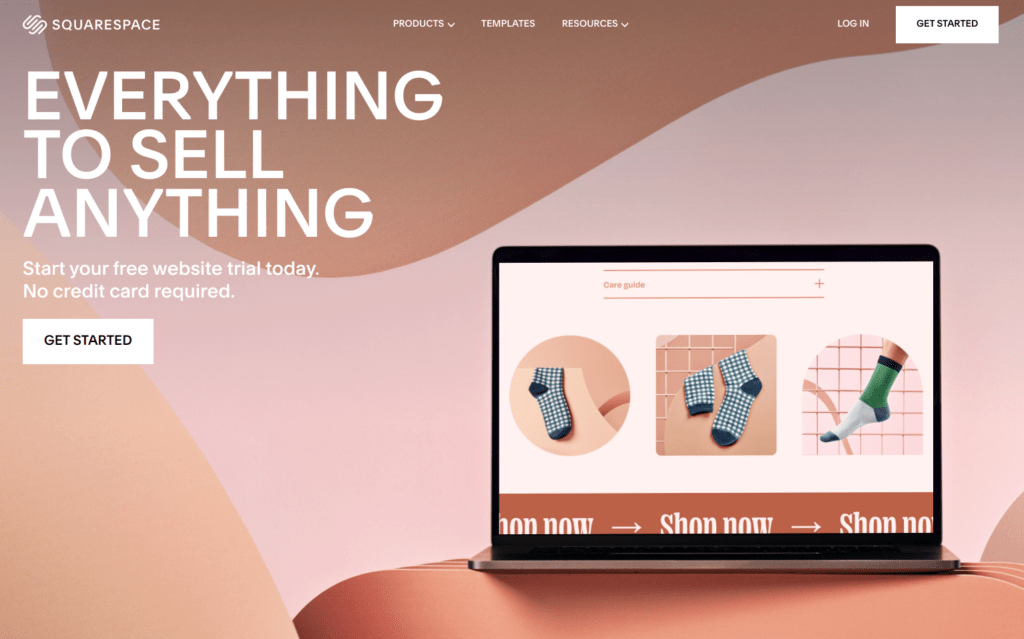
Squarespace is a web design tool with which you can build professional-looking websites without technical abilities or a design background. With the latest release of Squarespace, you can do site-wide changes even more easily, which makes it an all-rounder of a web builder.
Squarespace is ideal for building websites for creatives. It’s perhaps best known for the wide selection of professional web templates that work for all platforms, not only desktops.
Squarespace is also a tool that requires no technical background to use. You don’t need to be a designer or programmer to create a professional website with the software.
With Squarespace, you can build:
- Blogs
- Resumes and portfolios
- Photography sites
- Sites that drive sales
Squarespace is definitely at the top of the pyramid when it comes to the best web design tools. Some even argue it’s the best option out there. Definitely worth checking!
Key Features
Some of the most notable features of Squarespace include:
- Custom templates. There are more than 140 professional templates to choose from. These templates are crafted to meet your business goals and deliver a great user experience.
- Easy to use. Squarespace is easy to get started with. Thanks to the pre-built templates and intuitive drag-and-drop-styled editor, the tool is easy to use.
- Third-party integrations. No web design tool can do everything natively. There are lots of computationally-heavy challenges websites have to face, such as payments. These types of services typically come as third-party extensions. In Squarespace, there are lots of third-party integrations you can benefit from.
- Email marketing. Speaking of third-party integrations, when it comes to email marketing, you can choose to use the built-in email campaigns platform or use the ever-so-popular Mailchimp plugin.
- Domain. When you subscribe to a Squarespace paid plan, you get a free domain for a year.
- Analytics. In Squarespace, there are well-rounded analytics and dashboards you can check to better understand your visitors’ behavior on the website.
User Experience
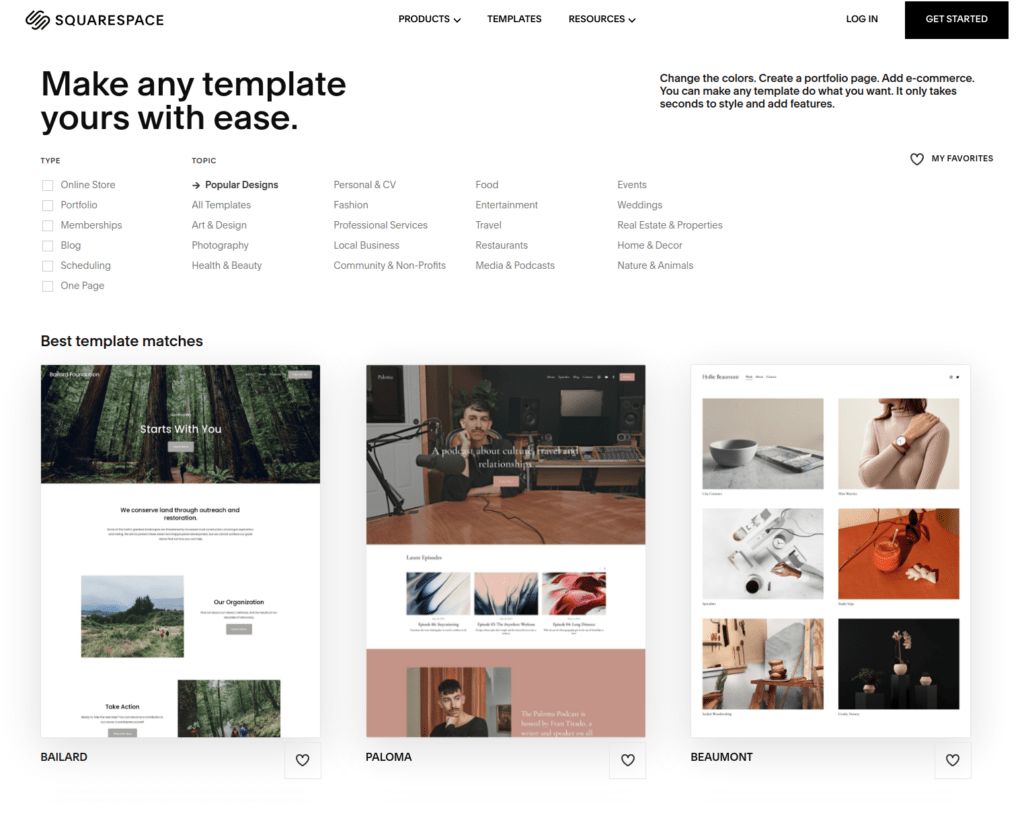
As mentioned earlier, Squarespace makes web design and development easy. You don’t need coding skills or design background to build a professional-looking website.
The user experience of Squarespace is great as the tool is intuitive and there are lots of easy-to-use functions available.
To create and run a successful website with Squarespace, follow these steps:
- Choose a website template.
- Pick a domain name.
- Start creating content.
- Share the site.
- Continue updating your site.
Each of these steps is made super simple with Squarespace.
What I Like
- I like the fact that you can get a professional website up and running in a matter of minutes with a couple of mouse clicks.
- There are lots of great templates that are crafted with users in mind. This means the templates look great no matter how and on which platform you look at the site. And by the way, yes, there are fewer templates than on Wix. But I think Squarespace templates are more of a quality-over-quantity thing. The templates fulfill most small businesses’ and freelancers’ goals right off the bat.
- Squarespace trusts their service enough that they have a 14-day free no-credit-card-required trial. You can use this trial version to make sure the software is something you like.
- If you are a blogger, Squarespace is one of the best options for a web design and web builder tool. It comes with features like commenting, multi-author functionality, post-scheduling, AMP support, and more.
- Last but not least, I like the active support Squarespace offers. You won’t have to wait long before you get answers to your questions related to the problems on your website.
What I Dislike
- One of the downsides of the well-crafted website templates in Squarespace is the speed. The templates score poor results on the Google Pagespeed Insights report. This might lead to some lagging and poor loading times for both mobile and desktop users.
- If your website requires a deeper navigational structure, you can forget about Squarespace. There is only one sub-navigation option available at the moment, which means that building a multilingual page is next to impossible.
- Squarespace lacks some of the modern-day software features, such as version history and autosave. This means there is a risk of accidentally losing a nice draft or accidentally deleting a version for good.
Pricing
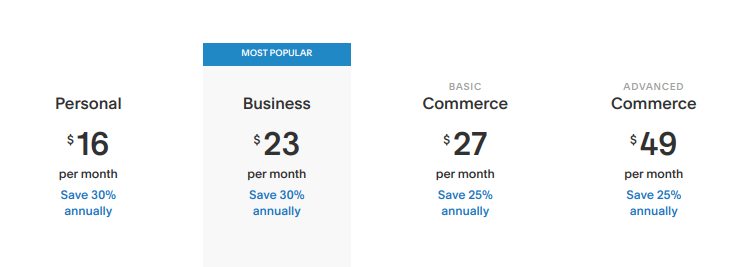
There are four pricing models for Squarespace:
- Personal: $16/month
- Business: $23/month
- Basic Commerce: $27/month
- Advanced Commerce: $49/month
Remember that you can try each of these plans for free for 14 days!
Bottom Line
Squarespace is a web design builder for creating beautiful websites from pre-built website templates. These templates are commonly known as the best reusable templates any web page builder has to offer!
To use Squarespace, you don’t need to know how to code or design websites. This makes it a great option for beginner web creators.
Typically, Squarespace best suits freelancers, bloggers, and small businesses. You can use pre-made templates to build online stores, blogs, portfolios, or landing pages.
With the free trial, you can give Squarespace a try before making an investment.
6. Adobe Dreamweaver
Best Web Editor and Coding Engine.
Adobe Dreamweaver is one of the leading web-design tools on the market. This tool is geared toward both graphic designers and programmers.
Dreamweaver is a professional web design tool that takes a lot of time to learn. Especially, if you have no design background or haven’t used Adobe CC tools before, you will have to practice a lot before mastering the tool
Unlike all the previously introduced tools in this list, Adobe Dreamweaver doesn’t host your website. So this is one example of a design-only platform where you can design a website and turn it into code but where you need a separate solution for hosting your site.
One of the major benefits of Dreamweaver over any other tool introduced in this list is creative freedom and customizability. You can design websites for small businesses as well as large-scale enterprises. The tool also supports collaboration where you can design websites with a team of designers. Besides, Dreamweaver works well with other tools in the Adobe suite.
Key Features
- Website templates. There are lots of website and web page templates you can use. These make creating websites quicker as you don’t have to come up with the layout for pages such as contact, about, or products from scratch.
- Live editing. Dreamweaver has great live-editing capabilities which make it easy to make a change and instantly see it in the preview of the website as how it would look on a real device.
- Collaboration. It’s easy to invite collaborators to the Dreamweaver project. The collaboration feature allows you to give different rights to team members to edit and make suggestions for the web designs.
- Git support. Dreamweaver supports the version control system, Git. This means you can place your website project under version control to manage different versions of it.
User Experience
Although the user experience of Dreamweaver is great, it takes a long time to learn.
If you’re a first-time designer or web developer, you will face a steep learning curve when starting. As a matter of fact, the free 7-day trial is not even close for you to mastering the tool. It takes tens or even hundreds of hours of practice. This is similar to other Adobe software, such as Illustrator or Photoshop.
When you are creating designs for even something very simple, you’ll typically have four separate document tabs open:
- Current page view
- JavaScript file
- CSS file
- Information panel
At first, this might feel overwhelming, but once you’ll get used to it, it doesn’t bother you that much.
What I Like
- One of the best features of Dreamweaver is the ability to design pages freely, and practically without limitations.
- The responsive design features of Dreamweaver make the website responsive and fit any screen size without hassle.
- Because you have to work with quite a few project tabs, you need a lot of space. Dreamweaver makes this easy as it supports multiple monitors.
- There is a free 7-day trial you can use before investing in the software.
What I Dislike
- One of the major drawbacks of Dreamweaver is the steep learning curve. To master using the tool, you have to spend tens or hundreds of hours. It’s much less efficient to design and build websites with Dreamweaver than Wix or Webflow for example.
- Dreamweaver is an offline solution for web design. It’s installable software that might show results differently than what they’d look like on an actual browser.
Pricing
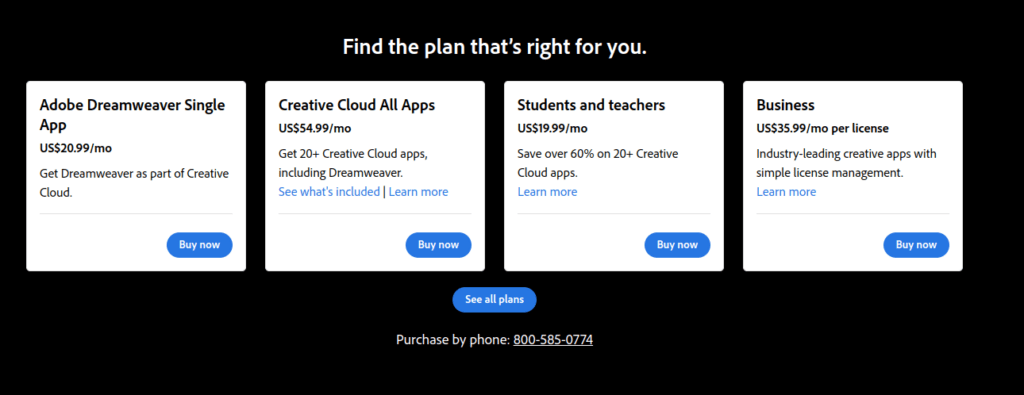
The standard pricing for Dreamweaver is $20.99/month. There is a free 7-day trial you can use before subscribing!
Notice that you can also choose to subscribe to Adobe Creative Cloud (CC) for $54.99/month. This gives you access to other tools in the Adobe suite.
Also, if you are a student or an educator, you might find better Dreamweaver plans to subscribe to!
Bottom Line
Adobe Dreamweaver is a veteran in the web design space. This tool has been around for more than 25 years and still continues to be among the top choices for web design.
Notice that most of the time, Dreamweaver is overkill. If you are looking to build a portfolio, landing page, blog, or small business site, you definitely don’t need to invest all the time and money in the software. But if you are a serious designer or coder who wants creative freedom and a powerful website design tool, then you might want to try Dreamweaver. Remember to be patient! The learning curve is much steeper than in any other tool introduced in this list!
7. openElement
Best Free Web Design Tool.
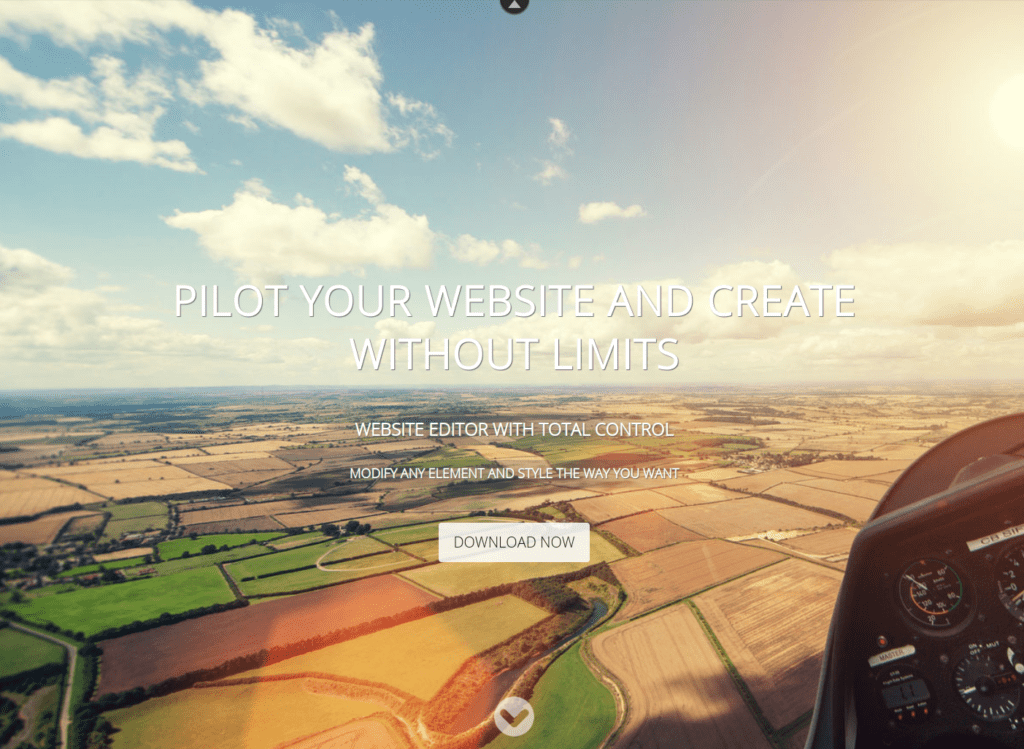
The first completely free web design tool in this list is called openElement. This software is a professional-level web authoring program for building creative projects.
By using openElement, you can easily create a standard-compliant web page. This software is a no-code tool where the website code is auto-generated for you. Thus, you don’t need to have any technical background to get started with the tool. Using openElement is easy thanks to the drag-and-drop web component editor where you can drag elements to the website instead of coding them.
openElement is a lightweight software. It offers a visual solution for web creators for maximized productivity and streamlined tasks.
You may have heard the term WYSIWYG when talking about web design. WYSIWYG stands for what you see is what you get. It’s a common ideology that web design tools employ to make web design easier. The idea is that the editor allows you to edit and see the content as it would appear on a real browser.
I brought this up because openElement is one of the best free WYSIWYG web design tools out there.
Key Features
Here are some of the most notable features of openElement:
- Intuitive interface
- Tools for customization
- Page layering system
- Cross-platform support
- Cross-browser support
- Allows creating multilingual sites
- HTML5 and CSS3 support
User Experience
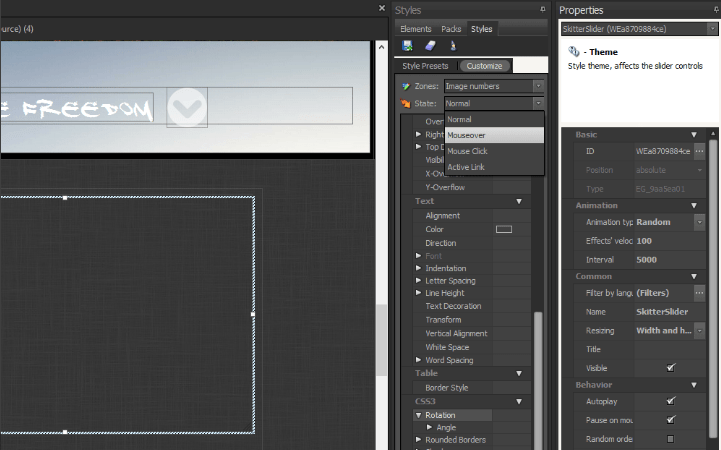
openElement is a professional web design tool. It comes with a whole bunch of features and tools. At first, this might feel a bit overwhelming.
But once you get the hang of the tool, it becomes much easier to use. Just be prepared to spend a while because the learning curve is steeper than on a web design tool like Wix or Squarespace.
What I Like
- I like the fact that the software is completely free and will be so. All you need to do to get started is to download the latest release and start designing.
- openElement promotes the WYSIWYG ideology which makes it much easier to design websites. Especially as a beginner, this is a great way to efficiently build websites that look the same as they do on the editor.
- The editing capabilities are great. You can drag and drop components into the mix. If this sounds limiting, then I’ve got great news for you. You can customize the components as you like! This way, you are not constrained to use some pre-built generic components, such as forms or login pages.
What I Dislike
- There is a bit of a steep learning curve to the tool. If you haven’t done web design before, you should not use openElement or at least expect to become a master overnight.
- The UI of the tool is not the clearest one out there. This makes it a bit overwhelming for new web designers.
Pricing
openElement is completely free!
Bottom Line
If you are looking for a free alternative to designing websites, make sure to try openElement. It lets you create websites with a simple drag-and-drop editor without having to write any code.
The tool takes time to learn and if you are not a professional web designer, you might find using the tool a bit challenging at first.
8. Adobe XD
Best for Prototyping and Interface Design.
Adobe XD is professional prototyping and interface design tool. It lets you create standard UI/UX designs for all kinds of projects, such as websites, mobile apps, and more.
With Adobe XD, you can add animations, build entire design systems, and create responsive web designs with:
- Content-aware layout
- Responsive resizing
- Components with reusable states
The simplicity of the tool and the free trial version make Adobe XD a great choice for designers of all skill levels. The learning curve is definitely steeper than one of the web builders like Squarespace or Wix. But it’s not as complex as Dreamweaver.
Notice that the use cases of XD are slightly different too. With a web builder that lives on the internet (like Wix or Squarespace), you can design and launch websites in a matter of minutes. But with a tool like XD, you cannot directly launch a website because the tool is an installable standalone design tool rather than a website builder.
Some even say XD is not a web design tool. This is understandable because you cannot export CSS files from the tool. But the reality is you can create mockups, wireframes, and prototypes quite easily whether it’s a web project or mobile app you are designing.
Adobe XD is a design tool that makes collaboration easier. You can have multiple team members work on the same project. You can make changes in real time and leave suggestions and so on.
Adobe XD lets you preview the applications in a realistic setting. This way you don’t need to write code to actually test the application you’ve just built.
Key Features
- Prototyping tools
- 3D transformations
- 3rd-party extensions
- Responsive design
- Repeat grids
- Fluid components
- Collaboration
User Experience
The UX of Adobe XD itself is good. As a first-time user, you might find it a bit overwhelming as there are lots of bells and whistles.
Adobe XD is a professional-level prototyping tool. It takes a while to learn how to use it. Don’t be sad if you don’t master it overnight. No one can do that. But when you do, you’ll find the interface and workflows very intuitive and smooth.
One of the great features of XD is the ability to add third-party extensions to the tool. This allows you to customize the tool to fit your needs better.
What I Like
- It’s relatively easy to learn how to use XD. It’s definitely harder than using Wix or Squarespace, but much easier than coding a website from scratch.
- You can build and test realistic prototypes of your applications, web apps, or websites.
- Adobe XD is relatively new software. This is great because you can use it to keep the latest design trends in mind.
- There is a free trial version you can use before subscribing to a paid plan. Besides, the pricing might be more affordable if you’re a student or an educator.
What I Dislike
- Adobe XD is not necessarily a web design tool! For instance, you cannot export CSS from XD. This is one of the main limitations of the tool.
Pricing
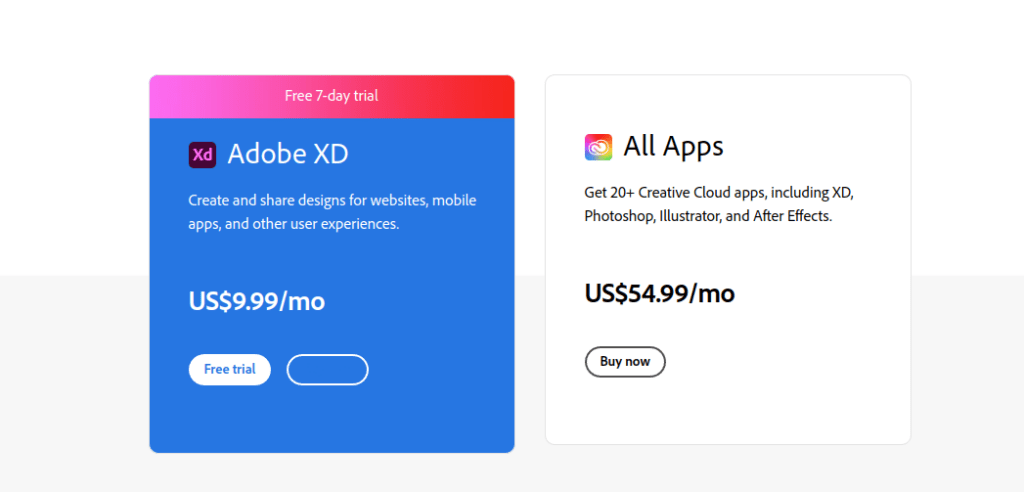
There are two ways to get access to Adobe XD:
- Subscribe to Adobe XD as a standalone tool for $9.99/month.
- Subscribe to Adobe CC to access a broader variety of Adobe tools for $54.99/month.
Notice that the price can be more affordable if you are an educator or a student.
Bottom Line
Adobe XD is a great prototyping tool for creating responsive designs that look great on all devices. It’s not necessarily a web design tool, but you can use it to build mockups and prototypes of your website.
The tool is relatively new and incorporates all the newest design trends. You can learn XD with relative ease. Although it takes much longer to build a prototype with XD than by using a web builder like Wix.
There is a free version of XD you can use before subscribing to a paid plan. This makes it worth a try.
9. Google Web Designer
Best Web Design Tool for Marketers.
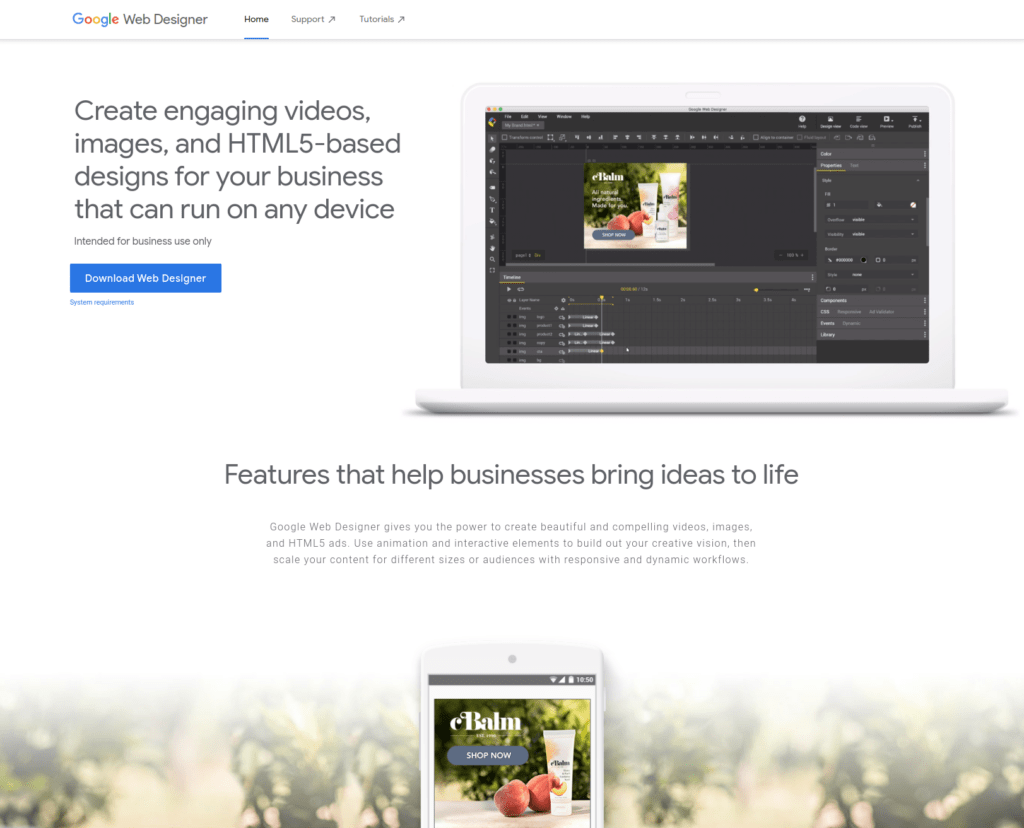
Google Web Designer is an HTML5-based web design tool that is ideal for marketers. With Google Web Designer, you can create:
- Ads
- Web designs
- Animations
- Static cue cards
- 3D images
And more.
Google Web Designers is one of the best motion graphic tools for digital advertising and marketing.
As you might imagine, one of the main benefits of this tool is it integrates with all the other necessary Google services, such as Drive, Google Ads, and Display & Video 360.
With Google Web Designer, you can:
- Set up professional-looking event pages with touch and rotation gestures and shaking for mobile devices.
- Easily drag and drop web components like maps, galleries, or calendars to your site.
- Give an immersive UX to your audience by creating multiple pages with different scenes.
You can use Google Web Designer as a no-code editor where you use the intuitive drag and drop functionality to add components to the page. Then you can develop the components with JavaScript, CSS, and HTML. Switching between the design view and the code view is easy and you can preview the changes in real-time.
Key Features
The key features of Google Web Designer include:
- 3D graphics. You can create and manipulate 3D graphic content with CSS3. This also makes it possible to rotate 2D components across an axis.
- Ad formats. Google Web Designer is great for marketers. One of the main features of this tool is the ad format support. You can create display and video ads, such as Static Panorama, Video Lightbox, and more.
- Content Creation Features. You can use the pen and shape tools for creating your own unique designs. Besides, you can import text and assets to the website.
What I Like
- The tool is completely free!
- Google Web Designer integrates well with other Google services.
- The tool is intuitive and easy to learn. To create a marketing page quickly, Google Web Designer has got your back.
- The tool is secure. This is thanks to Google’s strong 2FA system that makes it next to impossible to breach.
What I Dislike
- Google Web Designer is a somewhat limited tool. It’s great for marketing purposes and to build simple yet high-converting sites. But if you want to do something more complex with it, chances are you need to use another tool.
Pricing
Google Web Designer is 100% free software!
FAQ
What Features to Look for in a Web Design Software?
When you are on the hunt for the perfect web design software, you need to understand what features to look for.
But to understand what features you need, you need to know your goals.
If you are designing a website but not actually creating it, use a professional design tool. Those usually have more than enough features for you to play and experiment with. Preferably, you should choose a tool that is made for wire-framing and prototyping with websites in mind.
But if you are looking to actually build the website, not just design it, there are a lot of features you need to focus on. And by the way, these capabilities are well represented in the web builder tools mentioned in this list.
Here is a quick overview of what you should look for.
1. Drag-and-drop functionality
Editing a website without code is usually done with a drag-and-drop editor. With this editing style, you drag and drop components and features to your webpage. Most modern-day quality website builders have a drag-and-drop editor. But if this feature is missing, chances are you are restricted to only using templates, which makes creating websites easy but very limited.
2. Pre-built themes
One of the main pros of using a website builder is the ability to use professional designs for free. Make sure that the web design tool you use has lots of pre-built templates to choose from.
3. Third-party integrations
No web builder is capable of handling all useful necessities all alone. I’m referring to tasks such as payments, discussions, chatbots, or email services. To do this, web builders must support integrations with third-party tools. For example, you might want to integrate a Calendly calendar into your website. Make sure the website builder you use supports other popular tools and platforms.
4. Mobile-responsiveness
More and more people search the internet on a mobile device. To build a professional website, you need to support mobile. There is no way around it. Luckily, the best web design tools do this. When you are choosing a website builder, make sure they have good mobile support and that the service has great reviews. Nothing is more frustrating than a web page that doesn’t work on a mobile device.
5. Mobile editing capabilities
Besides having mobile-responsive support, your web design tool should also allow for making edits to the mobile side of the web app. Sometimes the auto-generated mobile support isn’t simply enough. If this is the case, it’s important you can separately edit the mobile version of the website without interfering with the desktop version.
6. eCommerce tools
This feature is not a must if you are creating a blog or a portfolio. But most websites function as web stores. If this is your case, then make sure the web design builder comes with great eCommerce support. By this, I mean features like shopping carts, payments, accounts, and more.
7. Collaboration
If you are working with multiple users at the same time, it’s important that the software is capable of that. When designing sites solo, you don’t have to pay attention to the collaboration features. But if you have other members on board, make sure the tool can be used with multiple real-time collaborators.
8. Value for money
Last but not least, don’t overpay for a web design tool. If you’re building a portfolio or a blog, you shouldn’t have to pay more than $10/per month. But if you are building a full-scale online business, then the pricing will naturally be higher.
How to Use a Web Design Tool to Create a Website?
If you have chosen the right type of web design builder introduced in this guide, creating a website is super simple.
- Select a template or theme. Typically you can choose a theme from a big library of templates. Choose one that best matches your use case. For example “Blog”, “Store”, or similar.
- Customize the site. If you are unhappy with fonts, colors, or any other layout feature, you can use the page builder editor to make changes to these.
- Customize the content. At this point, your site is already built. But you don’t want to publish it as-is because the logos, images, and text are probably not correct. Make tweaks to these before pushing your site out.
- Publish the site. Once you have completed the steps above, you can go live with the site!
Summary
Thanks for reading. I wish you found it useful and figured out the best web design tools.
To take home, building a website is a hassle that requires both artistic design skills and tech knowledge, such as coding. These days, you don’t have to be good at either of these because there are web design tools that can get the job done for you.
In this guide, you learned what are the de-facto web design tools this year. To recap, the tools in this list can be split into two categories:
- Web builders. A web builder is a web design tool that not only lets you design a website but also implements it without coding or any other technical skills. Examples of these types of tools are Wix, GoDaddy, and Webflow.
- Web design tools. This type of software is great if you are looking to design a website but are not responsible for implementing it. Examples of these types of tools are GIMP, Adobe Dreamweaver, or Sketch.